

Lock-It (Admin)
$50.00
Compatible con Revit 2027,2026, 2025, 2024, 2023 y 2022
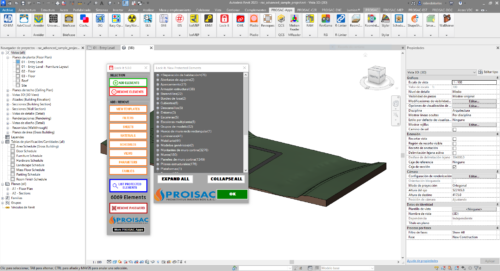
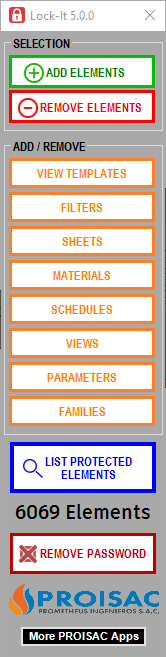
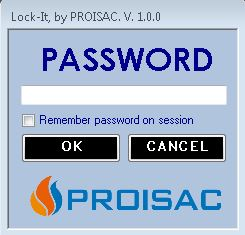
With LOCK-IT(ADMIN), you can lock items with a security password. These items will not be allowed to be modified or erase by any mean. LOCK-IT is stronger than the PIN tool.
Keep your model safe from «accidents», deleted elements, modifications not approved, changes in standard elements, grids moved, levels moved or renamed.
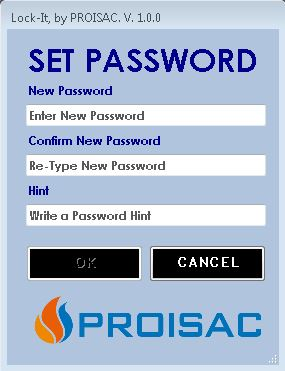
Using LOCK-IT(ADMIN), you can set a PASSWORD to protect any element in the model from unwanted changes or even from being deleted by «accident».
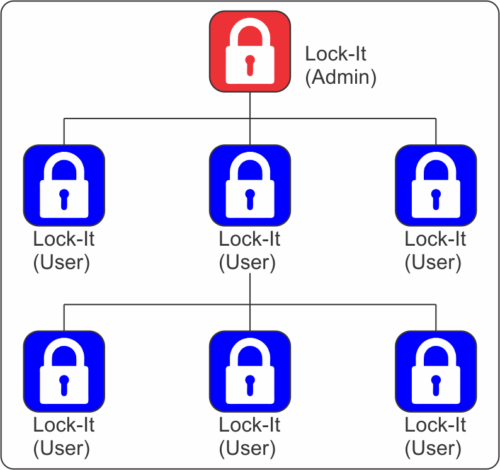
LOCK-IT(ADMIN) works together with LOCK-IT(USER). In your working network, or if you send your file to someone else, LOCK-IT(USER) will protect your information.
LOCK-IT(USER) can’t lock or unlock elements, but it will not allow you to modify or delete any element or view protected by LOCK-IT(ADMIN).
(https://apps.autodesk.com/RVT/en/Detail/Index?id=8411348509966578943&appLang=en&os=Win64)
In Stock
With LOCK-IT(ADMIN), you can lock items with a security password. These items will not be allowed to be modified or erase by any mean. LOCK-IT is stronger than the PIN tool.
Keep your model safe from «accidents», deleted elements, modifications not approved, changes in standard elements, grids moved, levels moved or renamed.
Using LOCK-IT(ADMIN), you can set a PASSWORD to protect any element in the model from unwanted changes or even from being deleted by «accident».
LOCK-IT(ADMIN) works together with LOCK-IT(USER). In your working network, or if you send your file to someone else, LOCK-IT(USER) will protect your information.
LOCK-IT(USER) can’t lock or unlock elements, but it will not allow you to modify or delete any element or view protected by LOCK-IT(ADMIN).
(https://apps.autodesk.com/RVT/en/Detail/Index?id=8411348509966578943&appLang=en&os=Win64)
| Software | |
|---|---|
| Garantía | Todos nuestros add-ins cuentan con soporte técnico para su correcta puesta en marcha. En caso de presentarse algún inconveniente de instalación o funcionamiento, se dispone de un plazo de hasta 72 horas hábiles desde la fecha de compra para diagnosticar y resolver el problema. |
| Uso | Documentación, Modelamiento |
Related products
-

Dynamic Quantities
$90.00 -
 Este producto tiene múltiples variantes. Las opciones se pueden elegir en la página de producto
Easy Warnings
Rango de precios: desde $30.00 hasta $50.00 -

Lock-It (User)
$0.00 -

Grid Location Stamper
$70.00
Valoraciones
No hay valoraciones aún.